Ahad, 26 September 2021

wth is wfh?

Assalamualaikum

wah sungguh kasar ye tajuk entry ini, nampak mcm nak provoke kerajaan kan! muahahaha.


takde takde, tajuk tu sekadar sbb nak buat pun je. aku takde carut carut ni, mulut aku keluarkan perkataan2 mulia je trololololol. 


sepanjang setahun lebih (sikit) kerja ni, mostly dari rumah. boleh cakap 80% if not more. honestly, aku suka sangat la siap dah invest beli monitor dah ni. tak boleh imagine kalau masuk office kena back to work dgn satu screen je (eceh berlagak HAHAHA). 


bersepah sikitlah. minggu ni kerja both sabtu ahad. calculator tu sebab bebal nak mengira. handkerchief tu buat lap peluh kalau tiba2 code error wkwkwk


semua benda ada pros and cons nya kan, begitu jugalah working from home. banyak pros ke banyak cons ke depends on apa kerja masing2. aku tak boleh cakap yg wfh is better sebab ada orang yang susah nak kerja dari rumah. banyak kekangan. mungkin setup? tak cukup bilik (privasi)? line internet lembab? semua tu main peranan untuk determine bagus ke tak wfh ni. takde jawapan skema mahupun betul atau salah. 


kerja aku pulak memang menghadap laptop je most of the day. kematu punggung setiap kali kerja. bila bangun lunch baru hilang kebas bontot tu. kerja programming ni takde kat office pun takpe. kitorang antara yang tak digalakkan masuk untuk bagi ruang orang yang kerja dia lebih essential di office. so far aku okay je, tapi of course la, se okay okay mana pun, aku ada tahap kesabaran yang menjadikan wfh ni ada cons nya juga hahaha. dah la memang jenis tak sabar, pastu diuji lagi dengan challenges of working from home kan hikhik.


bagi aku, cons ni aku banyak realize bila sehari hari bekerja tu dah jadi rutin. awal2 kerja, rasa mcm flexible wfh ni. tapi lepas rutin hidup bertukar bila diasimilasikan dengan wfh ni, barulah nampak keburukan dia sedikit sebanyak.


kerja aku, setiap isnin, rabu dan jumaat mesti ada daily meetup pada jam 9:30am. sesi ni just semua colleagues berkumpul pagi2 untuk gilir2 borak atau main games selama 30 minit. was supposed to set the mood right la kan. kemudian 10:30am pula ada daily scrum updates (ini setiap hari ya). session ni selalunya project team akan update apa task yang dah siap the day/week before dan apa plan nak accomplish today/this week. 2 benda ni kira staple dah dalam jadual.


kemudian hari akan berterusan, depends on meeting ada ke tak.


tak pernah tak penuh. tapi yang weekend tu aku repeat event tapi malas remove hahahaha


1. working after 6pm omg

sejujurnya, aku boleh kira dengan jari berapa hari je aku betul2 habis kerja on time pukul 6, shut down laptop dan spend time with family. malah, laptop aku ni pernah je tak shut down lansung seminggu straight including weekends tau ga sih. nasib baik dia masih teguh berdiri. dah la laptop company, tak taulah apa jadi kalau rosak hahaha. adakah aku akan dipercayai untuk diberikan macbook pro gantian? entah2 dah tak dpt trolololol.


2. weekends -- ratio between rest:work

bulan ni dan bulan 7 haritu adalah 2 bulan yang weekend tu seumpama tak wujud dalam hidup aku. ini bermakna aku kerja straight from monday to monday dan berulang ulang. kenapa? sebab tak sempat nak siapkan task before habis working hour/week. cumanya during weekends ada beri diri sendiri leeway untuk bangun lewat sikit dan sometimes weekend ni mmg aku stay up sampai 1-2 pagi siapkan kerja. bulan 8 tu okay sikit la boleh rehat2 weekend, tengok netflix dgn husband tersayang. so u guys be the judge, what do you think is the ratio here? tak tergamak kan ahahaha. kesian tak kat aku sekarang wkwkwkw


3. meetings! meetings! meetings!

awal2 masuk kerja kan, masa tu tak dapat task berat2 lagi tau. so aku always rasa macam banyak masa kosong so bila dpt email ada meeting scheduled tu aku okay la sebab rasa macam function gak a kan. tapi bila lama2 kerja makin banyak, meeting ni jadi beban.

revisit balik rutin pagi aku, 9:30am-10am ada daily meetup, 10:30am ada scrum. yang scrum ni, masa bulan 7 masyaAllah dia punya drag tu mmg tak boleh bawa bincang. selalu ngam ngam nak lunch hour tu baru habis. so kat situ dah burn nak kerja belah pagi. half-day is gone just like that. sepatutnya scrum meeting lasts for half an hour max. 

cuba bayangkan juga kalau ada meeting schedule on 2:30pm, then 4pm, then ada closing catch up session at 5:30pm. celah mana nak kerja? inilah yang menyebabkan kena kerja after 6pm and weekends. now u see the correlation?

bagi aku wfh ni mcm bagi free pass dkt sesiapa utk meeting sbb bila chat je untuk discuss something, sometimes kita risau message tak sampai. entah2 dia nak bagitau A aku pi paham B. tak ke sia sia bekerja mcm tu apabila boss check otak pekerja2 dia lansung tak tally. menyebabkan unexpected result. oh no!


di antara hari yang memang mustahil nak kerja sebab zoooooooooom je manjang


jadi macam mana aku cope dengan benda2 ni? sesungguhnya ia mengambil masa yang lama sebelum aku redha dengan ketentuan takdir cewah. masa awal2 dulu, aku cukup berpegang pada prinsip aku, tak boleh kerja after office hour apatah lagi weekend. sebab payslip pun bayar 20 hari bekerja je. ini adalah tidak adil! namun lama lama tu, aku sedari yang aku kena be okay, tapi bukan maksudnya redha ditindas. maksudnya, daripada aku complain je baik aku buat kerja dan try manage my time better. 


salah satu cara aku cope ialah selalu cerita dengan colleague yg close dgn aku. sebab most of the time, aku boleh je handle kerja overtime ni. cuma hati rasa tak tahan nak meluah. aku selalu jugak luahkan dekat husband aku. last last dua dua kena kerja out of office hour dgn weekend! hai suami u akad nikah dgn company u ke dengan i ni! hmphh muahahahaha.


seterusnya ialah aku take rest when needed. mula2 aku paksa kerja straight lama2 asalkan aku boleh naik tidur awal. tapi sekarang, aku utamakan badan dan otak aku rest. after a while kerja, aku sekejap2 bangun dan scroll blog orang atau tengok youtube 10-20 minit. waktu lunch pun aku lebihkan sikit, habiskan 1-2 episode sitcom. 


yang paling penting, aku sedapkan hati sendiri hahaha. andai kata la kalau aku memang penat, buntu, memang tak boleh nak continue, aku justify kan dgn nak menjaga kesihatan physical dan mental. lagi aku paksa, lagi sakit. entah2 next day nak kerja tak mampu. tu yang lagi susah. so aku okay kan aje, tutup laptop, naik tidur dan doa jelah esok project manager aku tak kecewa or marah dengan aku HAHAHAHA.


aku ni juga orangnya boleh relax sikit kalau dengar lagu2 favorite aku. so sometimes tu aku coding/kerja ditemani lagu2 kat telinga aku. pastu sambil kerja sambil nyanyi and joget2. rasa fabulous sangat nyah! semua coping mechanism ni works so good for me!


pada awalnya, impact wfh ni tidak bagus sebab aku despise kerja aku. aku sampai sometimes tu rasa nak AL sebab aku malas nak meeting. nak kerja aku okay, aku just malas nak masuk meeting. dan impact dia juga ialah aku rasa aku dah takde masa untuk self care and enjoy dgn kawan2 aku. weyy, whatsapp member pun sometimes tu 3 hari kemudian baru aku reply.


impact paling negative ialah aku makan banyak. cis! nak dekat habis tahun dah, baru separuh goal berat badan tercapai. menciks


walaubagaimanapun, aku bersyukur la sebab bila kerja kat rumah ni, aku tak perlu commute ke office. paling aku appreciate ialah dapat lunch sama2 dengan husband since masa tak selalu ada untuk spend time sama2 relaxing. best juga bila stress2 tu dapat peluk seminit dua. rasa macam ada extra tulang untuk support bahu aku. alhamdulillah. dapat gosok perut mossy pun boleh menenangkan stress.


best juga wfh ni sbb bila aku mati kutu jap nak code apa, takde orang nampak aku tgh struggling dan sembab. behind the cameras ni, aku nak bergolek ke, nak mengunyah ke, nak mengular tengok youtube kejap je, takde siapa nampak dah marah. ada flexibility dari segi cara nak menghilangkan stress tu.


even if aku list lagi banyak cons dari pros, tapi pros yang aku senaraikan ni are life-changing. it brings greater impact for me. maka aku simpulkan it's not so bad. i can keep on going. bila kerja aku siap, aku puas hati, bos puas hati so kita boleh la slow slow cucuk untuk dapat promotion atau naik gaji nyah!! kita kena la gunakan pengorbanan kita in exchange of a pay raise trolololol. selayaknya la mat.


paling bersyukur, ada kerja untuk cari duit untuk keselesaan family <3


Thank you for reading this entry :D

Isnin, 6 Januari 2020

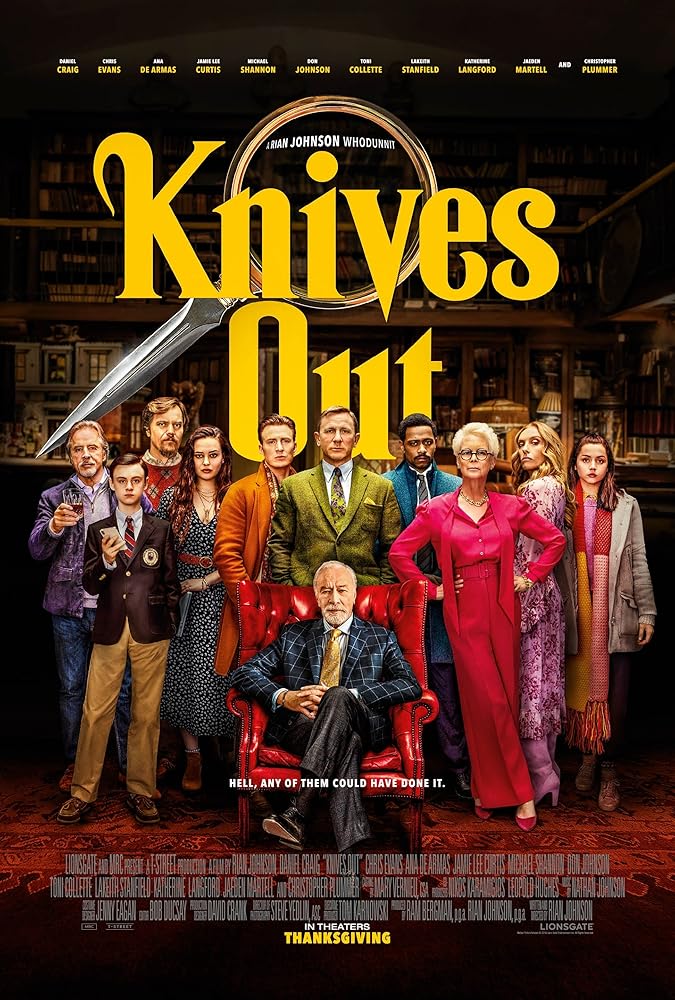
Movie Review: Knives Out!

Hello everyone! So today, we are gonna go a little bit laid back and we're gonna talk about movies!

There are too many good movies in 2019 that I rate more than 6/10. For me, a great movie is a movie that moves you, anticipates you, makes you feel as if you are close to the characters and makes you emotional. Few of my favorite movies from 2019 are:

1) Avengers: Endgame (I am a big MCU fan!)
2) Once Upon a Time in Hollywood
3) Joker
4) Spider-man Far From Home
5) Toy Story 4
6) Aladdin
7) KNIVES OUT!

So today, I am gonna review Knives Out!

!!SPOILER AHEAD!!
I will not reveal the characters or important plot points or plot devices. I will only just write about the storyline. However, it may give out something if you don't like spoilers.


I only watched the Knives Out trailer twice before I decided to watch the movie. The selling point for me was Daniel Craig (I like his Bond series) and Chris Evans. I am also excited to watch Katherine Langford since I am a fan of 13 Reasons Why. When I watch the trailer, it gives me some kind of Kingsman vibe and I love Kingsman too so I decided to watch it.


I have an idea that this movie is about murder mystery. It's a detective movie so I'm ready to be extra focused so I can follow the movie and make a guess. Whenever I watch a movie, I always pretend like I'm in a race with the character to figure out the ending. Besides, I am a fan of detective movies too. And it's not too dark because it's also a comedy. At this point, I am very eager to watch the
movie.


!! SPOILERS !!
It subverted my impression of course! So obviously a detective movie will have interrogation scenes but you'll be sitting there at first, thinking that you have to be laser-focused because you'd want to figure out who's the culprit. And then you'll start to second-guess every character and build your own assumption for each character. The mistake is that you'll realize that you're watching this movie and expecting your guesses to be true that you're missing the other clues!

Why I say it's subverting? Because surprisingly, it's not a 'whodunnit' movie! Instead, it's a trail of Detective Benoit Blanc that you're following. During the first half of the movie, the writers have already spoonfed you with the actual crime that happened, the murderer is revealed to you and it builds empathy towards the character that you confuse whether you should root Det. Blanc or the murderer.


I'm cut in half! The portrayal of the murderer and the motives behind the murder is very pure to the point that I almost never wanted Det. Blanc to figure out. At this point, I am so ready just to see how Det. Blanc can pinpoint the murderer as he/she is also very sneaky. The relationship played by both characters confused you more!

The movie introduces you to ALL characters very early in the movie. This movie is brilliant in terms of casting because they have all the famous and talented actors for the characters. The brilliance is, imagine if Daniel Craig and Chris Evans were the only actors you know, psychologically, you're made to believe that Chris might be the murderer because Craig is already the detective. But then they have Jamie Lee Curtis, Ana de Armas and Katherine Langford, now you'll think that any one of them could be an important character, that's why they're hired!


So remember when I said that the crime was already revealed? Entering the second half of the movie, you'll be more surprised and confused as to why some scenes happen. You'll start questioning the motive of the characters once again, even if you already knew the murderer. At first, I was stuck. But then I watched closely and I caught the culprit very close to the actual reveal.

The reveal was that the criminal was not totally a criminal!


For me, it was mindblowing. I rated it 10/10. I really don't find any obvious plot holes. Mind you that I have a habit of reading boards on IMDb and Reddit after watch just to see what other people are saying. I do have questions after the movie ended but so far, you can find answers to them meaning there is no plot holes.

I would also say that Rian Johnson is brilliant. I was very sure that this story was only about the personality of this detective in his pursuit to solve a crime. You already know the criminal, what's left is just paying attention to how the detective figure it out. But then you sympathize with the criminal and suddenly there's a third person.

I have to give praise to the way the crime is done. It's really clever and it's kind of not what you could come up with without clues.

Director: Rian Johnson. At first you'll think you'll get something like The Last Jedi but then you get this.

Stars: Daniel Craig, Chris Evans, Jamie Lee Curtis, Ana de Armas (i heard she's the new Bond girl?), Katherine Langford

About: Whodunnit, murder mystery, comedy

My rating: 10/10

More fun reads: IMDb / Reddit

*if you watch this movie after this review, tell me what you think!


Thank you for reading this entry :D

Photos credit: IMDb

Rabu, 1 Januari 2020

Digital Note-Taking 101 Using OneNote

Hello peeps! It is new year how are you feeling? Well, for me it's the end of the semester but for others it maybe a new school year so let's talk academic *HAHA*.

I am always the one who writes notes in class ever since I was in boarding school. I write notes ranging from the simplest scribble to the most structured, color-coded, cornell style note taking. I have ventured into many note taking styles. In 2017, I have tried a new note taking style which is digitally after seeing many of my favorite studyblrs and studygrams using the technique. Since I had the experience, I would like to share about it with all of you! Let's dive in into digital note-taking 101!


#1 What do I need? 
Well since it is digital, you will need a PC or an iPad or any tablet will work as well. Some people use stylus but it's really up to your preference. I only use a laptop and my phone.

You will need to install OneNote on your computer but beforehand, you might want to check because if I am not mistaken, it came built-in with any Windows PC. It is also available on Google Play Store and App Store.

OneNote

#2 Why OneNote?
It is FREE! Of course some people would not mind investing money into new software but for me, OneNote is perfect for notetaking be it complex or minimal. Furthermore, OneNote syncs across devices so you can access them on your phone too in case you need to do some cramming or last minute study before entering the hall!

#3 Who will like OneNote?
People who likes note-taking but wants to migrate to digital form of it. This also includes people who prefers typing over writing and the flexibility to correct typos or drawings. OneNote is also not limited to only texts but you can also draw with the tools. You will also like it if you want a structured note-taking layout.


#1 Its toolbar is very similar to Microsoft Word
Every day in our lives, we will have to use Word for whatever reason. But the problem with Word is that is not easily accessible across many devices. That's where OneNote come into action. As you can see in the toolbar, it looks very familiar, making it less intimidating for first time users. Some of Word hotkeys such as CTRL+C, CTRL+V, CTRL+B and more can also be used in OneNote.

Credit: https://www.guidingtech.com/onenote-pdf-tips-tricks/

#2 You can include online videos, links, audios and many more onto it
OneNote also allows you to upload PDFs and annotate it on the software. This way, you can make notes that is on the same page as your PDF! You can also record lectures and save it into your document which you can listen to later and rewrite your notes!


#3 Drawing tools
You can have as many pens or markers in many colors (including gradients and galaxy-styled pens) for drawings! For me, I keep my most used colors at the top so I can have easy access to them. I usually use red for important, green for where to put things and et cetera. Below is an example when I use drawings in my digital notes

This is when I use the marker to indicate what tool I should drag onto my canvas.

This is an example of my drawing of binary tree using OneNote markers. What's so special about these feature is that they do not distort even on mobile viewing!


#4 Multiple notebooks
As how we have many different notebooks per semester or year, you can also create many notebooks for different subjects in your class year. You can also color-code your notebooks. As you can see, I use this feature to create new notebook for each semester that I enroll.


#5 In each notebook, you can have many sections
I use these sections (left-side) for different subjects that I take for the semester. For example, in my second semester in Wuxi, I took Networking, Statistics, Database, Data Structure and Chinese language class. I also color code my sections.

On the right side are pages. So for each section, you can create unlimited number of pages, just like how you would use a normal notebook. For me, I open a new page every time we start a new chapter or a new tutorial. If the chapter hasn't moved, I will stay on the same page. This method helps me stay organize and made it easy for me to find my notes.


#6 Rule Lines
Tbh, I do not really need lines because when I type, words are always perfectly in line. But for the sake of aesthetics, I did use some of these lines for certain subjects just for the feel. It makes it feel like I am using a real notebook at points. Here are my notes using rule lines and grid lines.

Taking notes on ruled paper

Taking notes on grid paper


#7 Shareable 
This is my favorite feature of OneNote. My boyfriend and I can collaborate in realtime when I share this notebook to him. Other than that, for teachers (or just about anyone, really), you can also share notes which they can only view. This is a good tool to replace paper handouts during class.


Here I will share how I use OneNote for NoteTaking in Wuxi. Since I got back to MSU, I reverted back to traditional paper note-taking just for fun. Maybe in my next post I can share about my paper note-taking methods. But for now, this is how I use OneNote.


I always include a term planner in my notebooks. I prefer manual calendar rather than the usual because I can mark the weeks in the term which is easier to refer when my lecturer announce assignment submission. The colors I use to fill in the blocks are according to the subjects that I take, which corresponds to the color of my sections.


As a computer science student, most of the time my lecturer will teach us how to program live. In OneNote, I can screenshot my program and write step by step tutorial. This is one point of digital NoteTaking ahead of traditional paper note-taking because on paper, I cannot have the visual of the program.

Whenever my lecturer gave me a sample code to refer to, I always copy them inside OneNote and highlight the important chunks of it. This is also easier to be done digitally than traditionally.

As you can see, OneNote gives me infinite possibilities in structured note-taking. You can also find your notes by searching the key words, which reduces the time taken for you to find what you're looking for. 

I have experienced both traditional and digital note-taking. Some times, I also used OneNote for bullet journaling (I will review later). So far, both methods have its pros and cons. Some extra feature that I like about OneNote is that I do not have to have creative hands because I can import arts and install cute fonts to beautify my notes. The only thing that I'd like for OneNote to have is the ability to make colored borders so I can separate my note chunks. 

You can also find some premade templates online if you like, just search it up on Google. Some studyblrs have already uploaded them. If you wanted my templates, simply notify me in the comments section. 

Are you looking forward to try digital notetaking? Tell me what you think about it!

Thank you for reading this entry :D